Cooktop and Rangetop Repair in San Francisco
Repair for Dacor gas, electric and induction cooktops and rangetops across San Francisco and the Bay Area, with diagnosis first and your…

Specialized Dacor Appliance Repair in San Francisco
Mon–Sat: 8:00 AM – 7:00 PM
Burner will not light or an induction zone goes dark? See the cooktop types, verified codes and the first checks.
Dacor repairSan Francisco & the Bay Area
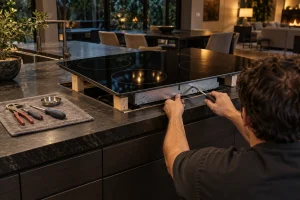
Cooktops and rangetops disappear into the counter, and that is both their appeal and their difficulty. The part that fails is usually underneath, in a cabinet drawer or behind a panel, while the symptom shows at the surface: a burner that will not light, a zone that does not heat, a keypad that stops responding. Gas, electric and induction versions each have their own failure patterns. Visit Dacor cooktop repair for how we handle them.
Millennia and Renaissance units are older generations that remain in service across the Bay Area.
The label on a cooktop is usually on the side of the chassis, which means it may only be visible from inside the cabinet below, or on the underside edge. A rangetop label may be on its side or behind the control knobs. Look with a flashlight rather than lifting the unit, and use any original paperwork if the label is hard to reach.
A burner that clicks and will not light, uneven flames, or a burner that lights slowly often comes down to blocked ports, a damp or dirty igniter, or the spark module. Read Dacor gas cooktop will not ignite before you scrub anything. Cleaning the cap and burner head is fine; poking into the gas ports is not.
Induction cooktops heat the pan directly, so cookware that does not suit the zone can look like a cooktop fault. Our article on Dacor induction not detecting pan covers that. Beyond cookware, a fan that is blocked or failing, a sensor fault or a control communication fault will stop a zone. Our guide to Dacor induction error codes gathers the display messages.
Verified meanings apply to the induction cooktop DTI30M977BB, so check your model before relying on them:
A cooktop is dropped into a counter cutout, so everything underneath is boxed in by cabinet, drawer or oven. A gas model adds a supply line and shutoff below. An induction unit relies on the electrical supply and on ventilation space under the glass. Whether a downdraft or hood sits nearby also affects how air moves around the unit. Telling us what is under your cooktop helps us plan the access.
Switch the breaker on, wipe the surface, and remove anything resting on the controls, since a spill on the keypad can mimic a fault. For gas models, confirm the gas valve under the counter is open. If gas is smelled, leave, avoid switches, and call the gas utility or 911 from outside. Burning smells or sparks mean breaker off. Never open the chassis or touch gas fittings.
Gather the model number, any code the display showed, and a note of which burner or zone is affected. Say whether the fault is constant or comes and goes, and whether the cooktop has been wet or cleaned with a spray lately. Those details point the diagnosis in the right direction before anyone opens the cabinet.
For anything beyond those checks, use Dacor cooktop repair. We diagnose first, estimate in writing, and repair only with your approval.
They are separate products, and rangetops are typically deeper and sit on a base. Give your model number so we plan access.
Not always. Cookware that does not suit the zone, a sensor fault, or a fan problem can each cause it. Try a different pan first.
The verified list covers the DTI30M977BB induction cooktop. For other models we rely on diagnosis rather than a code guess.
Blocked ports, a dirty igniter or the spark module are the usual suspects. Clean the cap and head only, nothing deeper.
No. The two are no longer sold new, though they are still serviced.
Repair for Dacor gas, electric and induction cooktops and rangetops across San Francisco and the Bay Area, with diagnosis first and your…
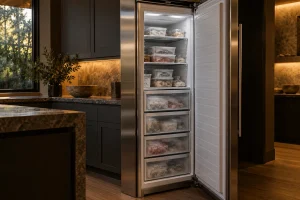
Dacor column freezers in three widths, usually paired beside a column refrigerator. What goes wrong, where the label sits and what to…
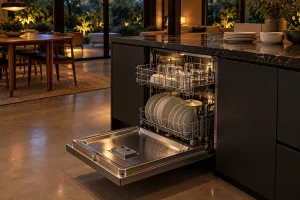
Built-in Dacor dishwashers in the Bay Area: five 24-inch models we list, where to find the label, display codes and checks you…
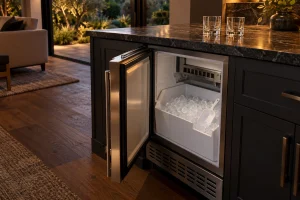
Ice makers in Dacor kitchens, from slow production and hollow cubes to water leaks at the bin. What a technician checks and…
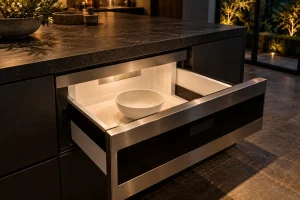
Built-in Dacor microwaves and microwave drawers in the Bay Area: the four models we list, label locations, common complaints and safe owner…
Share a few details and we’ll confirm an appointment. Prefer to talk? Call us and we’ll help right away.